Device Code Phishing: Why attackers don’t need your password to compromise your account
In IT security, technical safeguards are often only effective in combination with employee awareness training. Phishing, as an attack type, can demonstrate this very clearly.
Established mechanisms such as Multi-Factor Authentication (MFA) have significantly raised the bar against traditional credential-theft phishing approaches. However, modern attack techniques no longer rely solely on stealing credentials — instead, they exploit legitimate authentication processes to gain access to user accounts.
At the same time, more sophisticated phishing campaigns are continuing to evolve. Through the automation enabled by phishing frameworks and the use of artificial intelligence (AI), attacks can today be carried out with considerably less technical effort. Alongside the well-established market for Phishing-as-a-Service offerings, this further lowers the barrier to entry for attackers.
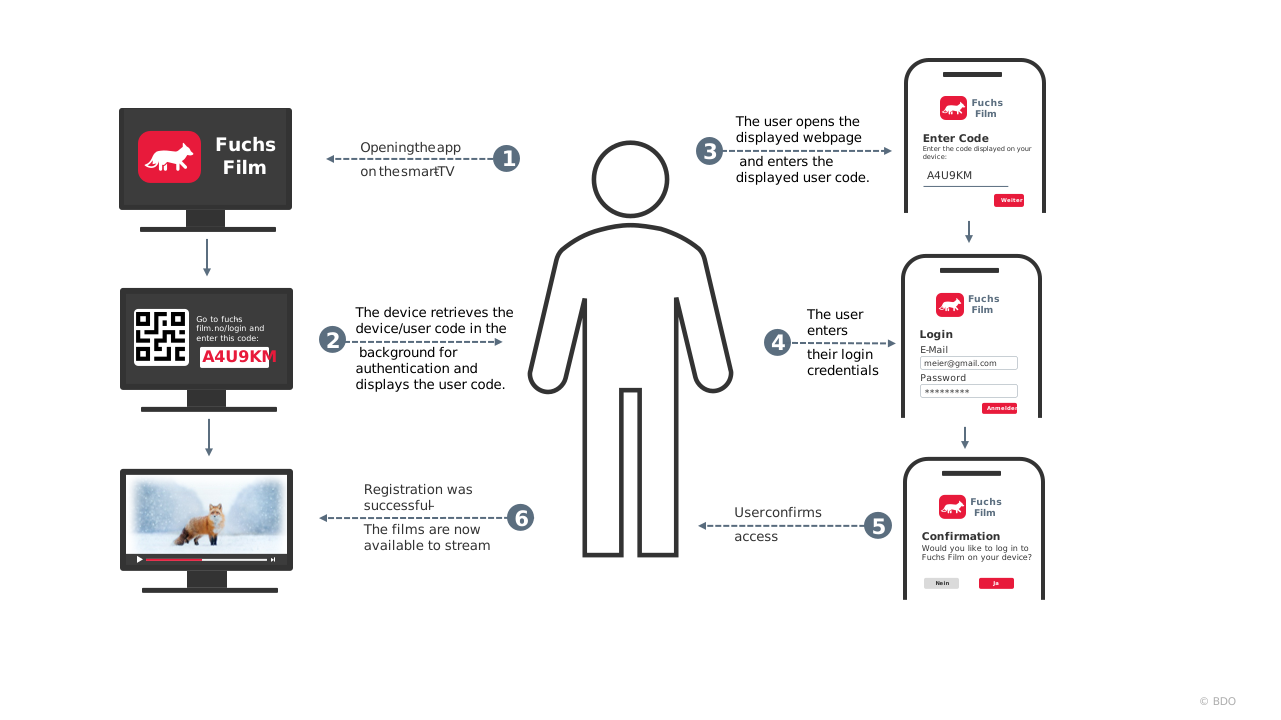
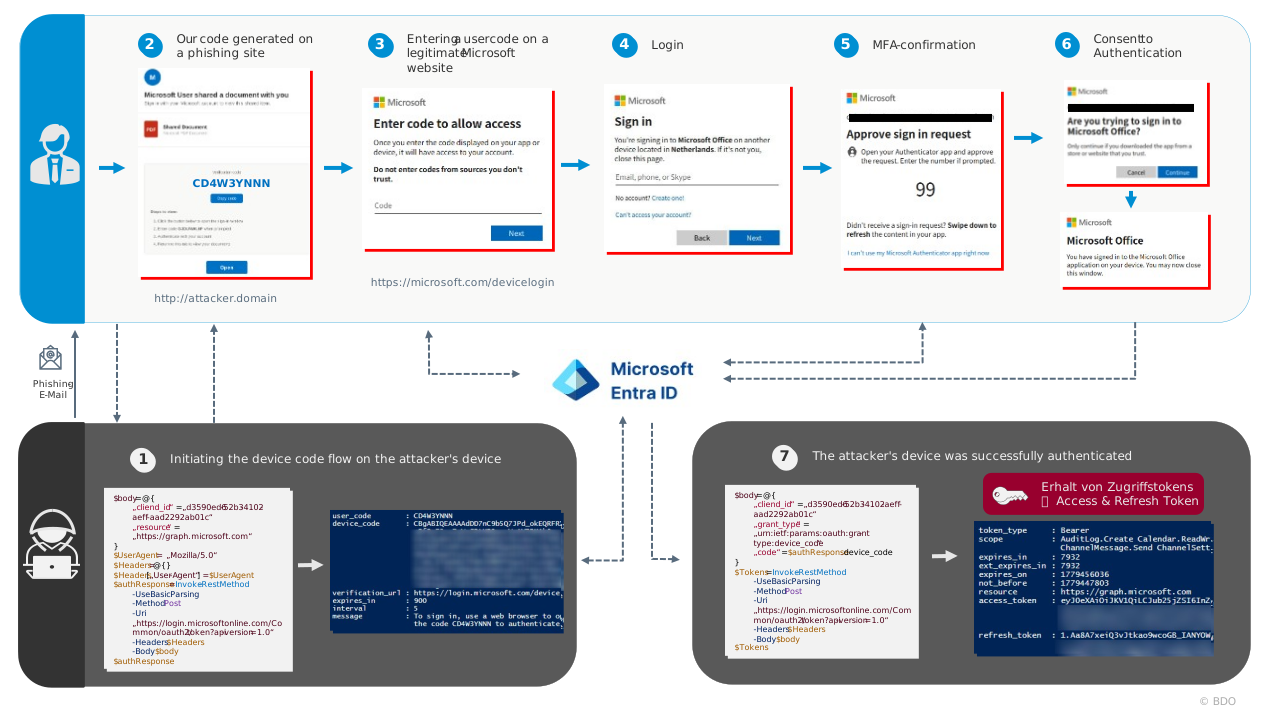
A particularly compelling example of this is the Device Code-Phishing, in which attackers exploit the legitimate device code flow authentication method used by modern authentication services such as Microsoft Entra ID1 in the Microsoft cloud environment which is used, among others, by modern authentication services such as Microsoft Entra ID within the Microsoft cloud ecosystem.